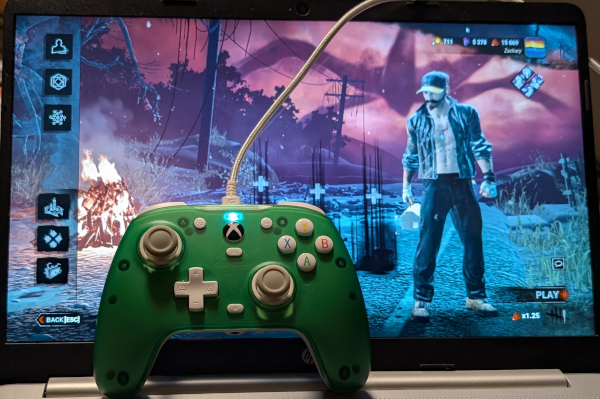
Since playing Dead by Daylight with a controller doesn’t seem to be a popular option, it’s not easy to find information on how to improve gameplay using one. And if you look for advice or tips on message boards or Discord, people will advise you to switch to keyboard and mouse, which is easier said than done. Believe me, I’ve tried. So, if you’re in the same boat, here are two useful tips.
Adjust Sensitivity Controls Settings in Dead by Daylight
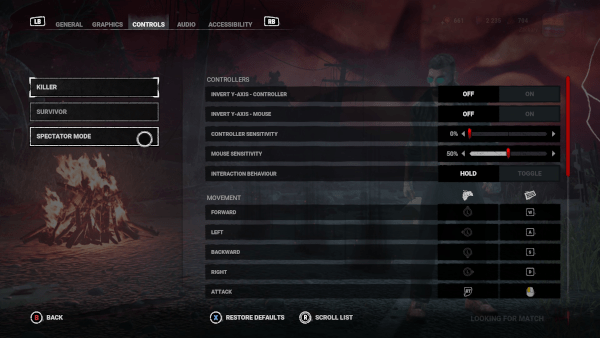
The CONTROLLER SENSITIVITY slider will adjust how quickly the sticks respond to your touch. I hadn’t noticed how important this was until I started playing The Trickster. Adjusting this setting allows me to aim the blades more accurately. After making the change for killer and noticing how it improved more than just aim, I went back and did the same for survivor. It made a difference.
At the bottom, let of the screen, to the right of the Back button, you’ll see the Settings button (it looks like a cog). Click on that and the Settings screen will display.

At the top of the Settings screen, click on CONTROLS. On the left you’ll see settings for KILLER, SURVIVOR, and SPECTATE MODE (see images below). Click on Killer or Survivor, depending on which you want to adjust, and decrease the CONTROLLER SENSITIVITY.
Setting this too high will cause you to easily lose control of where you’re looking and moving, so I suggest starting low and adjusting it up until you get to where you need to be. For killers who need precise aim, such as The Trickster, you may want to keep the slider on the lowest setting.
Sensitivity may vary depending on the controller you use. I use a GameSir G7 SE.
The images below are my settings as of this writing. They’ve been working for me, so I doubt they’re going to change. Also keep in mind that these settings might not work for you.

Looking Behind You While in Chase
When playing survivor, it’s good know where the killer is at all times, especially while in chase. Because of this, you’ll need to know how to look back when running. I’ll admit that this takes time and a lot of practice, but it can be done. Heck, I currently have 985 hours of Dead by Daylight played and am only now getting decent at it. From what I hear, it’s not easy to master on keyboard and mouse, either.
To do this, your goal is to have your character facing you while the camera is pointed in the opposite direction. Slowly rotate the left stick to the left and down, staying on the outer edge, you while you move the right stick to the right. When I started doing this, I would tap the camera (right) to the right. Not sure if you find that helpful, but it might get you going.
The video below shows what it looks like while playing.
Hopefully you found this post helpful. As always, feel free to reach out to me on social media with questions, comments, or just to say hello.